🚀 Getting Started
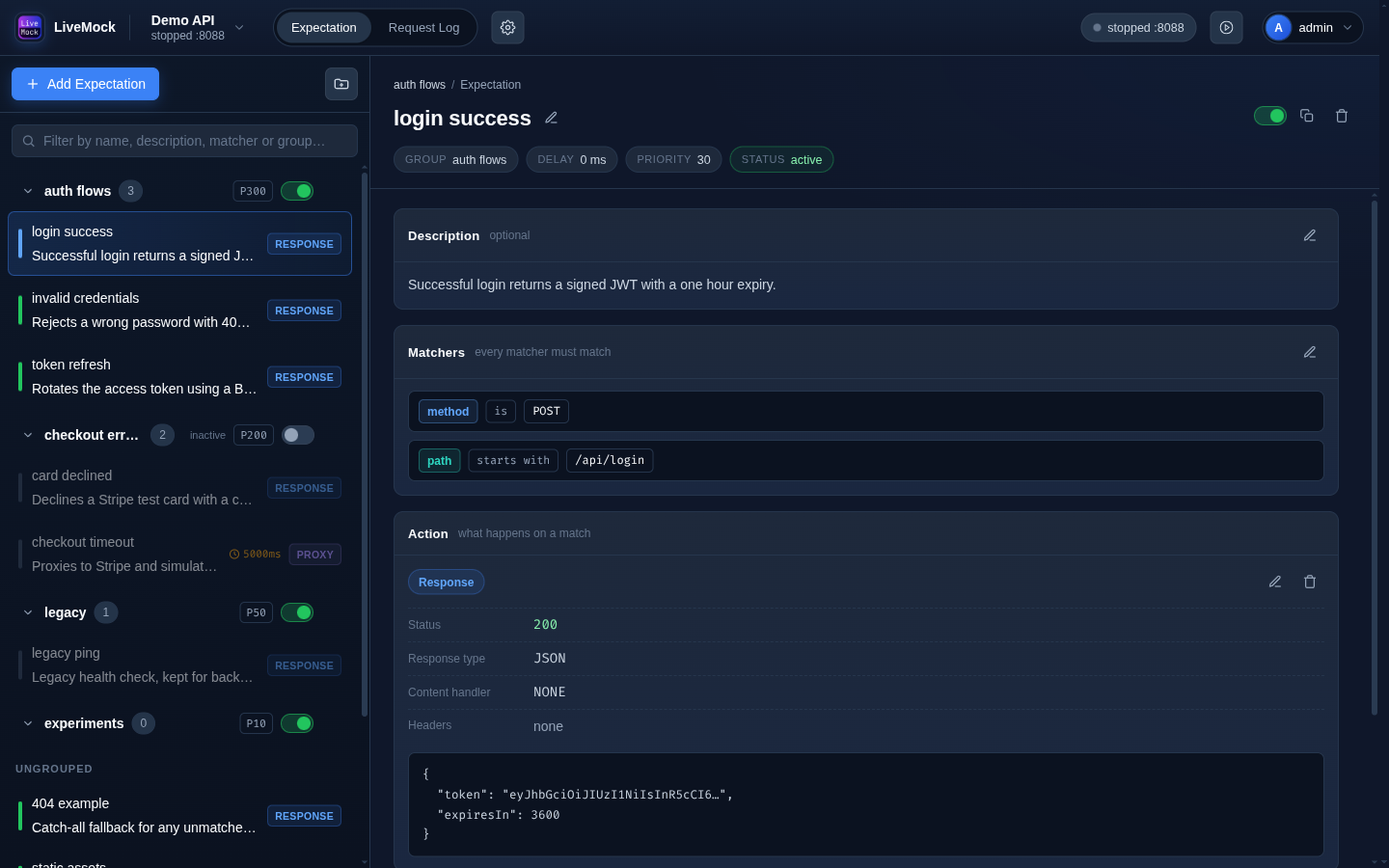
LiveMock is a self-hosted mock server for API development and testing. It serves mock responses, proxies to a real API, records every request it receives, and lets you turn a captured request into a mock in one click.
✨ Features
- Dynamic mocking - expectations are evaluated on every request, so a change in the dashboard applies immediately, there is nothing to restart.
- Matchers - match on method, path, header, query and body parameters with twelve comparators (exact, contains, regex, glob, presence, and their negations).
- Three kinds of actions - return a custom response (JSON or plain text, optionally rendered with Mock.js), proxy to a real host (HTTP and WebSocket), or serve a folder from disk.
- Expectation groups - fold related expectations into groups with their own priority and on/off switch, and control the order in which requests are matched.
- Request log - every request that reaches a project's mock port is recorded: method, path, headers, body, response, duration, matched expectation, proxy target and WebSocket messages.
- Request log filters - preset filters (method, status family) and custom JSON-path filters, saved per project.
- Mock this request - build a new expectation straight from a captured request, including matchers for its query parameters and body fields.
- Per-project mock port - each project listens on its own port, so several projects can run side by side.
- MCP server - connect Claude Code, Cursor, OpenCode or another AI client and manage projects, expectations, groups and request logs from the editor.
🧩 Concepts
| Concept | What it is |
|---|---|
| Project | A named mock server with its own port, its own mock list and its own request log. |
| Expectation | One rule: a set of matchers plus an action, a delay and a priority. |
| Matcher | A condition on one part of an incoming request (method, path, header, query, param). |
| Action | What LiveMock does when an expectation matches: custom response, proxy or static folder. |
| Group | A named block of expectations that share a priority and can be switched off together. |
A request is matched against the project's expectations in a defined order; the first active expectation that has an action and whose matchers all succeed wins. The order is described in Expectation groups.
📚 Where to go next
- Installation - run LiveMock with
npx livemock, Docker, or from source. - Quick Start - from first sign-in to your first mocked response.
- Expectations, Matchers, Actions, Groups.
- Request Log - inspect, filter and reuse captured traffic.
- MCP server - connect Claude Code, Cursor, OpenCode or another AI client to LiveMock.
- Import OpenAPI / Postman, Authentication, Configuration.