Matchers
A matcher is one condition on the incoming request. All matchers of an expectation must succeed; if one of them fails, the expectation is skipped and the next one is tried.
Creating a matcher
In the Expectation detail view, click the pencil on the Matchers card, then Add matcher.
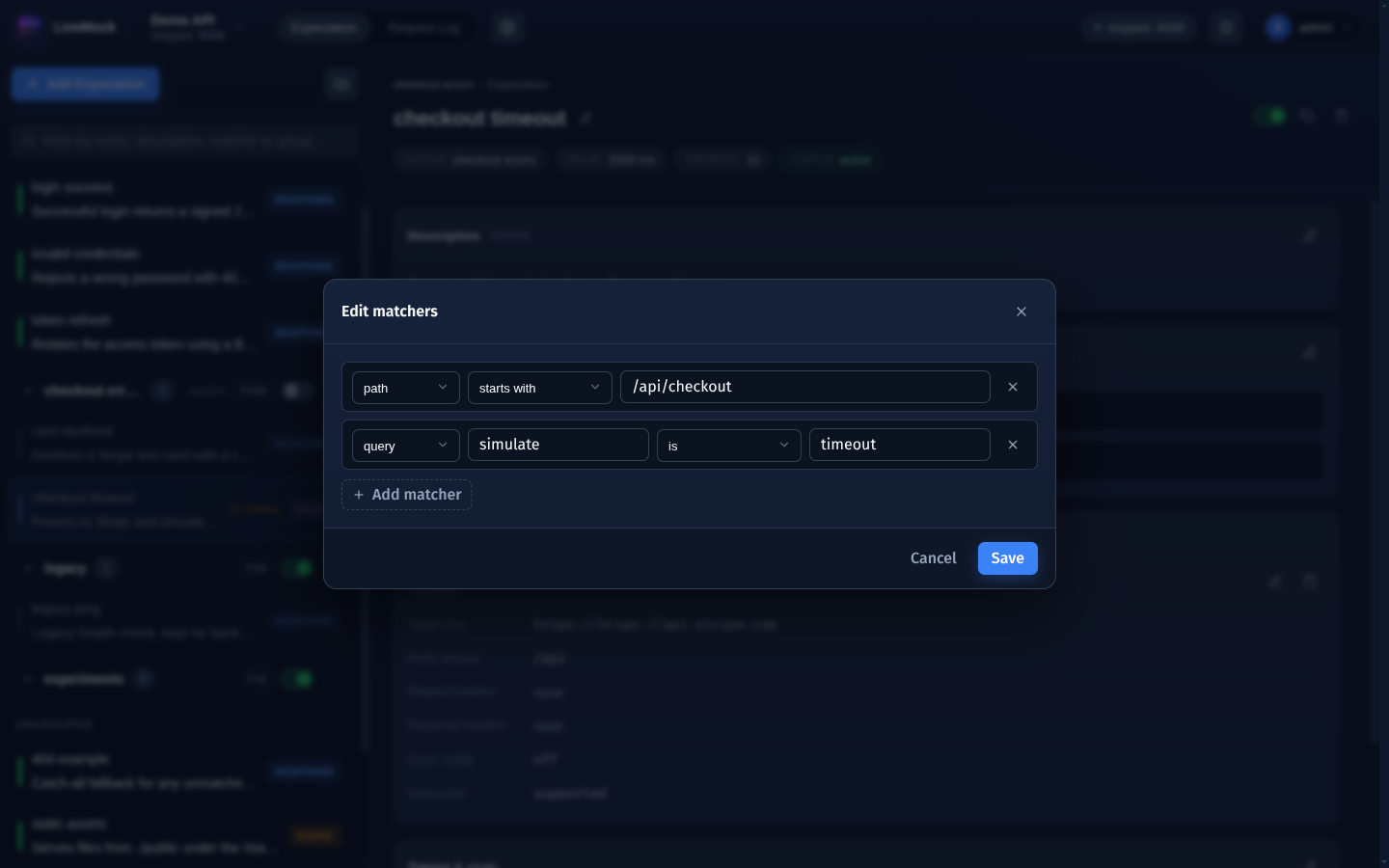
Each row is one matcher and has three parts:
- Type - which part of the request is inspected.
- Comparator - how the value is compared.
- Value - what it is compared with. Matchers with a name (
header,query,param) also have a name field.
Changes are applied when you click Save.
Matcher types
| Type | Inspects | Example value |
|---|---|---|
method | The HTTP method of the request. | POST |
path | The path of the request, always starting with /. | /api/login |
header | A request header, selected by its name. | name Authorization, value Bearer |
query | A query parameter, selected by its name. | name page, value 2 |
param | A field of the request body, selected by its name. Works for JSON bodies and form bodies. | name username, value tom |
The method value is upper-cased before it is compared, so post, Post and POST all match a POST request.
Comparators
| Comparator | Succeeds when |
|---|---|
IS | The request value equals the matcher value. |
IS_NOT | The request value differs from the matcher value. |
CONTAINS | The request value contains the matcher value. |
NOT_CONTAINS | The request value does not contain the matcher value. |
START_WITH | The request value starts with the matcher value. |
END_WITH | The request value ends with the matcher value. |
MATCH_REGEX | The request value matches the matcher value read as a regular expression. |
NOT_MATCH_REGEX | The request value does not match the regular expression. |
SHOWED | The name is present on the request (a header, a query parameter or a body field). No value needed. |
NOT_SHOWED | The name is absent from the request. No value needed. |
MATCH_GLOB | The request value matches the matcher value read as a glob pattern, for example /users/*. |
NO_MATCH_GLOB | The request value does not match the glob pattern. |
For SHOWED and NOT_SHOWED the value field is not used - only the name matters. They are handy to tell apart
requests that carry an optional parameter from requests that do not, for example query page SHOWED.
Examples
-
path START_WITH /book/matches every path that starts with/book/. -
query teacher_name CONTAINS tommatches requests whoseteacher_namequery parameter contains "tom". -
param teacher_name IS tommatches requests whose body containsteacher_namewith the valuetom:{"teacher_name": "tom"} -
path MATCH_GLOB /users/*matches/users/1,/users/42and/users/jane, but not/users/1/posts. -
header Authorization SHOWEDmatches requests that send anAuthorizationheader, whatever its value. -
method IS_NOT DELETEmatches everything exceptDELETErequests.