📁 Projects
A project is one mock server: its own port, its own expectations, its own request log. You can run several projects at the same time, each on a different port, and switch between them from the app bar.
Creating a project
The first project is created from the welcome page. Later projects are created from the project switcher in the app bar: open the menu and choose New project. The form asks for:
| Field | Meaning |
|---|---|
| Project name | Shown in the switcher. |
| Port | The port the mock server listens on. Default 8088. |
| Max request log | How many requests the project keeps. Minimum 1000, default 5000. |
| Description | Optional free text. |
Project settings
The gear in the app bar opens the settings of the current project.
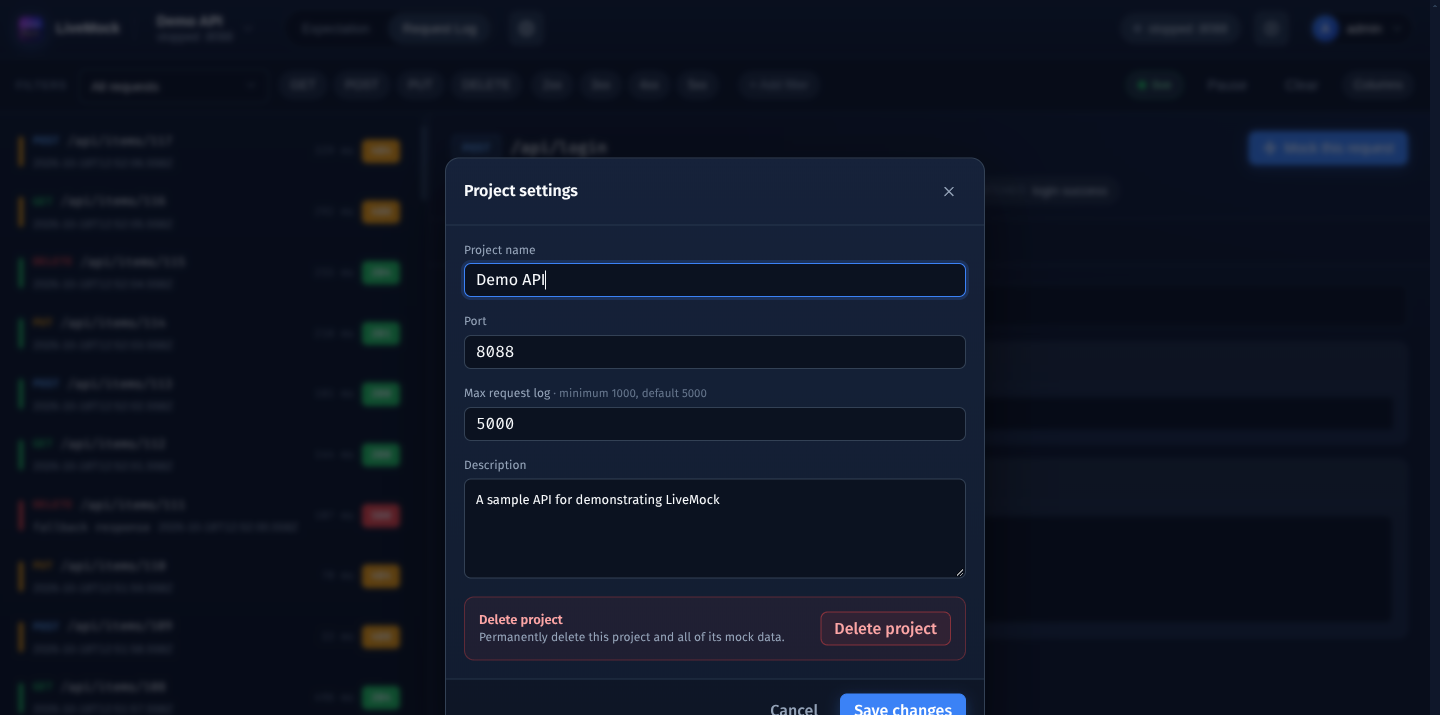
- Project name and Description can be changed at any time.
- Port can only be changed while the project is stopped.
- Max request log is the cap for the request log. The oldest entries are trimmed automatically (the trimming runs about once a minute), so a busy project never grows without bound.
- Delete project removes the project and all of its mock data. You must type the project name to confirm, and the project must be stopped.
Running state
The app bar shows the current project and its state:
| State | Meaning |
|---|---|
stopped :8088 | The mock port is closed. |
running :8088 | The mock port accepts requests. |
starting :8088, stopping :8088 | A transition; wait a moment. |
The round button next to it starts and stops the project. Expectations can be edited while the project is running - there is nothing to restart.
Switching the project in the app bar changes the expectations and request log shown in the dashboard. It does not start or stop anything: a project keeps running (or keeps being stopped) independently.
Deleting a project
Deletion is irreversible and removes the expectations, groups, filters and request log of the project together with the project itself.