Filters
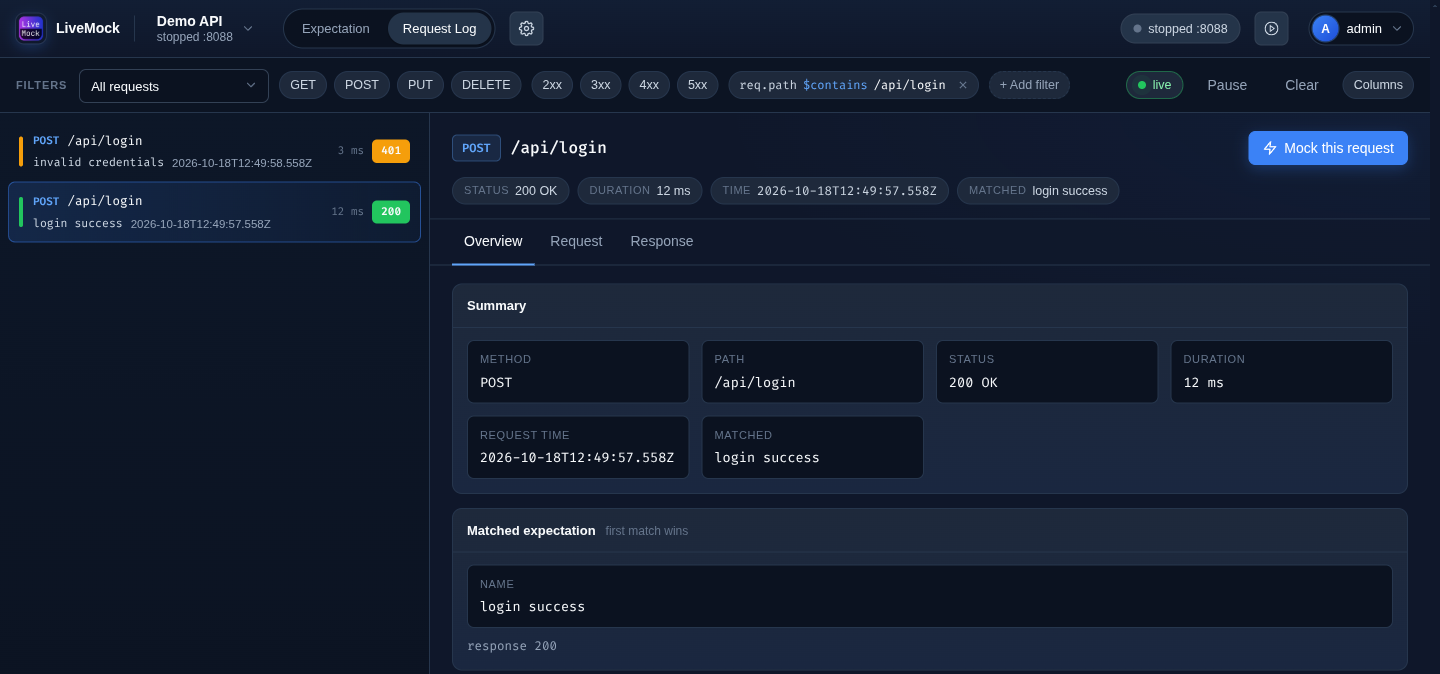
The filter bar above the request list narrows down what is shown. Filters are saved per project and are restored the next time you open the page.
Preset filters
The buttons in the filter bar toggle the most common filters:
| Button | Keeps requests whose… |
|---|---|
GET, POST, PUT, DELETE | …method is the selected one. Several can be active at once. |
2xx, 3xx, 4xx, 5xx | …status code falls in the selected family. Several can be active at once. |
The dropdown on the left (All requests by default) selects the expectation to filter by.
Custom filters
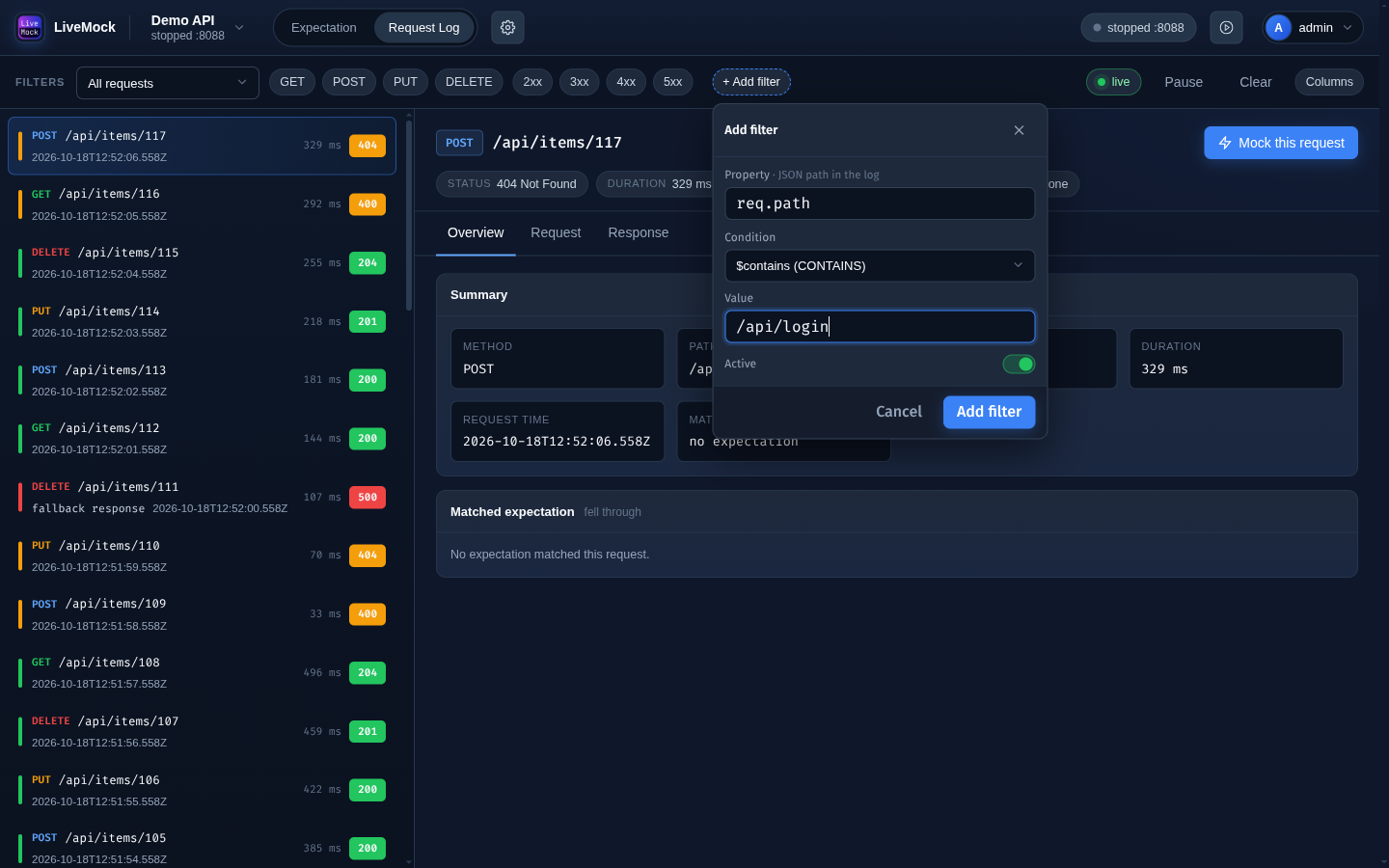
Click + Add filter to add a filter on any field of the log object:
| Field | Meaning |
|---|---|
| Property | A JSON path into the log object, for example req.path, req.method, res.status, res.duration or req.headers.host. |
| Condition | How the value is compared (see below). |
| Value | What to compare with. Type the value and press Enter; several values can be accumulated. |
| Active | Keeps the filter defined but switched off. |
Custom filters are shown as chips in the filter bar. Click a chip to edit it, or the small cross to remove it.
Conditions
| Condition | Keeps requests whose value… |
|---|---|
EQUAL | …equals the value (numeric and string forms both count). |
NOT_EQUAL | …is different from the value. |
CONTAINS | …contains the value. |
GREATER | …is greater than the value. |
LESS | …is less than the value. |
IN | …is one of the listed values. |
FAMILY | …matches a status family token such as 2xx, which expands to an inclusive range. |
Combining filters
All active filters must hold at the same time: preset and custom filters are combined. When the result is empty, the list says so - remove or switch off a filter to see more requests.
Clearing filters
Use the dropdown on the left to go back to All requests, switch off the preset buttons and remove the custom chips. The Clear button on the right is a different thing: it deletes the captured requests, not the filters.