Mock this request
Instead of writing a new expectation by hand, you can start from a request that was actually sent. Select it in the request log and click Mock this request.
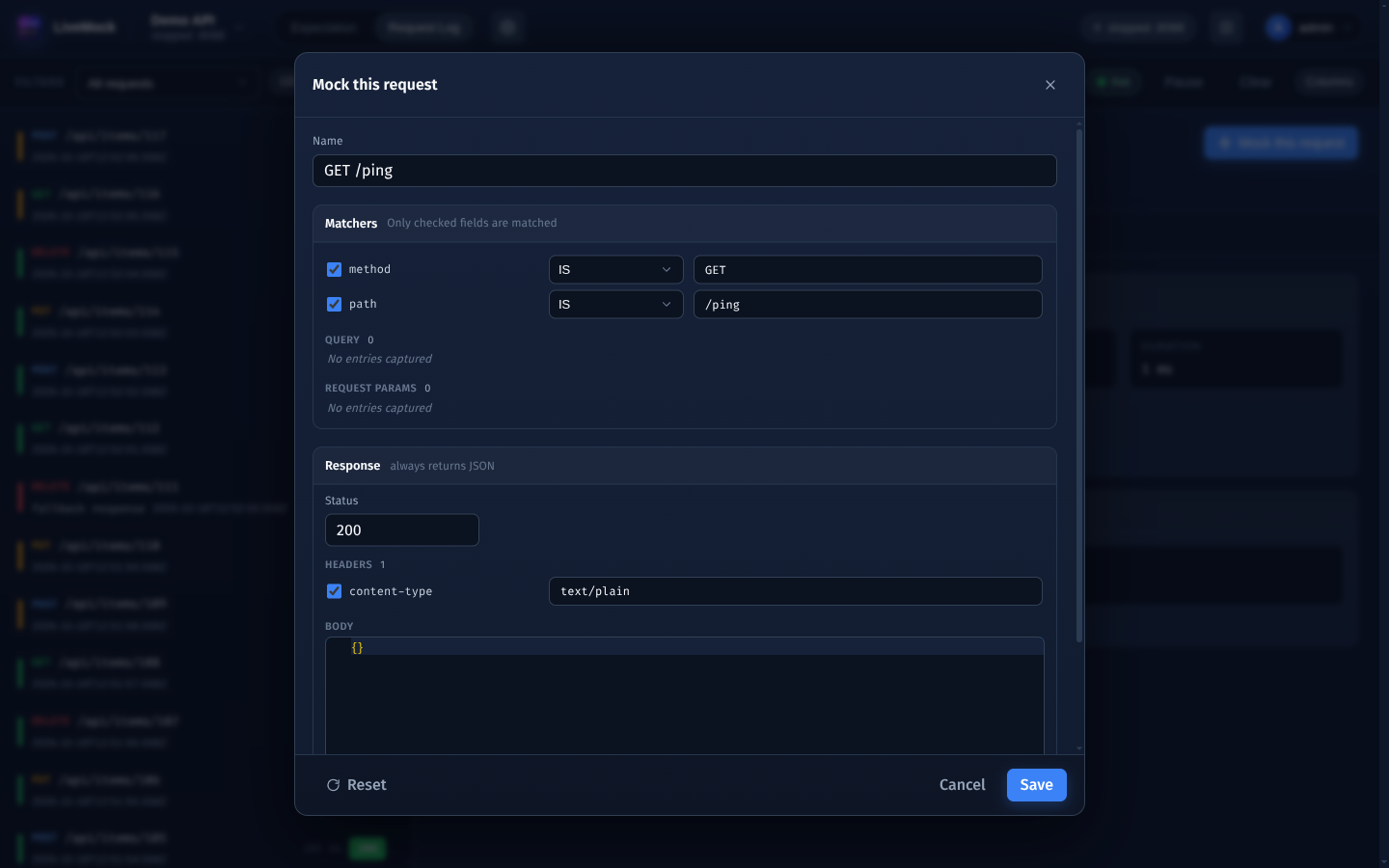
The dialog is pre-filled from the captured request:
| Section | Pre-filled with |
|---|---|
| Name | METHOD /path, for example POST /api/login. |
| Matchers | method IS and path IS, both checked. |
| Query | Every query parameter of the request, with its captured value. |
| Request params | The body fields of the request (nested fields appear as dotted names such as address.city), with their captured values. |
| Response | The captured status code, the captured response headers (content-type checked) and the response body. |
Only method and path are checked by default; the query parameters and the body fields are listed so you can tighten
the match deliberately. Unchecking username and password, for example, makes the mock match every login attempt
instead of the exact credentials of that one request - usually what you want.
The response is always a JSON response. A captured JSON body is pre-filled pretty-printed; a body that is not JSON
(the text/plain of a ping endpoint, for example) becomes {}. The captured response headers are carried over, so a
content-type: text/plain from the original response is kept and will override the JSON content type - uncheck it if
you want the new mock to answer as JSON. Click Reset to discard your edits and restore the captured values.
Captured values are kept literally: LiveMock does not turn ids or timestamps into Mock.js templates, so the same body is
returned every time. If you need fresh data, switch the new expectation's action to the MOCKJS content handler
afterwards and replace the fixed values with Mock.js templates.
Click Save to create the expectation. It is added to the currently open project (ungrouped, active, delay 0,
priority 0), with a description that records the request it was created from.